Best Website Builder for a Medical Practice: 6 Options
When patients search for a medical provider, they use your website to form opinions about your practice and decide whether they can trust you with their health. Choosing the right website builder for a medical practice is essential.
Why? Because for medical practice websites, the stakes are higher.
There are unique challenges, including HIPAA compliance to protect patient information, technical capabilities for SEO, and design quality. Your website builder determines how well you can meet each of these requirements.
This guide will help you evaluate and compare six popular medical practice website builder options, including Showit, PatientGain, WordPress, Squarespace, and more.
Quick Preview of What to Expect:
- What Is a Website Builder?
- How to Choose the Best Website Builder
- Platform Overviews
- HIPAA-Compliance
- SEO Optimization
- Medical Website Design Examples
What Is a Website Builder for a Medical Practice?
A website builder is a tool that lets you create a professional website without code. Most medical practice websites are built using a website builder instead of custom development that involves coding from scratch.
Popular website builders include:
Research shows that nearly 80% of people admit that their healthcare provider selection is influenced by what they find online. In other words, your website is often the deciding factor in whether someone books an appointment with you or moves on to another practice.
A well-designed medical practice website helps you:
- Establish credibility
- Demonstrate your expertise in your specialty
- Make it easy for patients to understand your services and book appointments
- Appear in search results when potential patients look for providers in your area
- Communicate what makes your practice different
- Guard protected health information (PHI)
The healthcare landscape is shifting toward more personalized and proactive care. Your website should reflect this evolution and provide not a sterile, generic experience, but a thoughtful presentation that matches the high-quality care you provide.
Learn more about health and wellness website design.
How to Choose the Best Medical Practice Website Builder
The main challenge is that healthcare professionals need to choose a website builder that balances different priorities.
You need a platform that protects sensitive patient data, supports SEO, and curates an experience that feels professional and memorable.
Consider these factors when evaluating your options:
- HIPAA compliance features and the ability to create compliant contact forms
- SEO capabilities that help patients find you when searching for your specialty or location
- Design aesthetics to create a unique look that reflects your brand, so it seamlessly extends from your office aesthetic to your online home
- Integration options for appointment scheduling, patient portals, and telehealth platforms
- Mobile responsiveness since most patients will browse your website on their phones
- Loading speed and technical performance, which affect both user experience and search rankings
- Customer support quality in case you need help with troubleshooting
Most website builders on the market aren’t designed specifically for medical practices. There are healthcare-focused platforms like PatientGain that cater exclusively to providers, but these often fall short in design flexibility and SEO capabilities.
In most cases, you don’t need a medical-specific website builder to create a compliant and functional site.
Many general-purpose platforms let you integrate online appointment scheduling, secure patient portals, and other essential features through third-party tools. This will give you more control over both how your website looks and performs.
Let’s take a look at some of the options:
What Is the Best Website Builder for Medical Practice?
- Best Overall: Showit | Read my full review
- Most Versatile: WordPress | Read my full review
- Healthcare-Focused: PatientGain | Read my full review
- Easy to Use: Squarespace | Read my full review‘
- For Therapists: SimplePractice | Read my full review
- Quick Setup: Wix | Read my full review
1. Showit

My Rating: ⭐⭐⭐⭐⭐ (5/5)
Showit is a drag-and-drop website builder that gives medical practices complete creative control and also comes with strong technical features, especially for SEO. It’s particularly well-suited for providers who want their online presence to reflect the quality and personalization of their patient care.
Pros & Cons
Pros:
- Design your website exactly how you want it without any restrictions
- Create separate mobile and desktop versions so patients get a great experience on any device
- Strong SEO with WordPress blog integration helps patients find you on search engines
- Connect easily to patient portals, scheduling systems, and telehealth platforms
- A helpful and responsive support team when you need assistance
Cons:
- You’ll need to set up HIPAA-compliant forms manually (not built into the platform)
- Best pricing requires paying annually instead of monthly
- Limited options if you want to sell products (like supplements, memberships, guides, skincare, etc.) online
Cost
Showit starts at $22/month when you pay annually. This basic plan works fine if you just need a website without a blog. If you want to add a blog to help with SEO and patient education, plans with blogging start at $27/month and go up to $39/month.
Overview
When you compare Showit sites to websites built on other platforms, the difference in design quality and creativity is often obvious. It gives you a level of polish and professionalism that’s hard to find elsewhere.
One feature that makes a big difference is the ability to design completely separate mobile and desktop versions of your site. Most website builders just awkwardly shrink your desktop site to fit a phone screen, which often looks clunky and forced and makes it hard for patients to find what they need.
With Showit, your website’s mobile version can be completely custom.
From the technical standpoint, Showit integrates with WordPress for blogging, which gives you powerful SEO capabilities. The platform also loads quickly and performs well, which search engines favor when ranking websites.
Showit isn’t a dedicated medical website builder, but you can integrate everything you need to run your practice, such as scheduling systems and patient portals, using third-party tools. This will help keep your website HIPAA-compliant without limiting you to a platform with inferior design elements.
2. WordPress
My Rating: ⭐⭐⭐ (3/5)
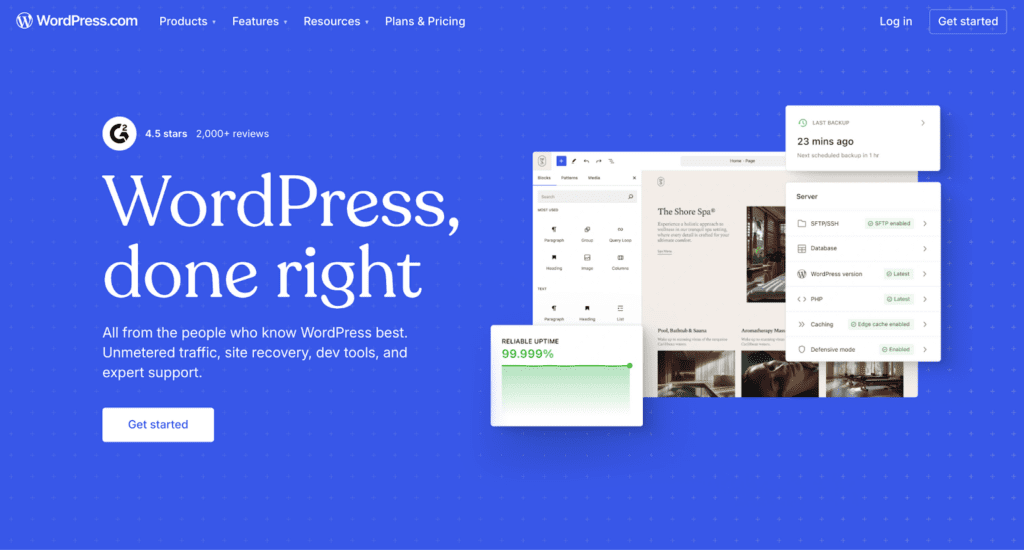
WordPress is one of the most established website builders available. It’s known for having excellent technical capabilities and SEO tools, but you’ll likely need many different themes and plugins to design a professional medical practice website.
It can get clunky and expensive due to the time involved in learning how to use it or relying on a developer each time you want to make a change.
Pros & Cons
Pros:
- Strong SEO performance helps patients find you in search engines
- Thousands of plugins available for scheduling, forms, and other features
- Can handle online sales if you sell supplements or wellness products
Cons:
- Requires technical knowledge, or you’ll need to hire help for updates
- Design options often look dated without significant customization
- Learning curve is steep
Cost
WordPress offers a free plan with limited features. Paid plans start at $4/month when billed annually and include a free domain for the first year. However, you’ll likely need to pay for premium plugins, which can cost anywhere from $20 to $200+ per year.
You’ll also need to hire a WordPress designer or developer (potentially both), and go back to them even for small updates because WordPress’s backend can be quite confusing.
Overview
Many medical practices use WordPress because it’s been around for decades. It’s a highly versatile platform in terms of technical features and customization options.
WordPress isn’t a dedicated medical practice website builder, but you can use third-party tools to add scheduling, HIPAA-compliant forms, and patient portals.
In fact, you’ll likely need many plugins, updates, and third-party tools to build and maintain a WordPress website, which is its biggest downside.
Unless you have technical experience or someone on your team who can manage updates and troubleshooting, you’ll probably need ongoing developer support.
3. PatientGain

My Rating: ⭐⭐ (2/5)
PatientGain is a website builder specifically for medical practices. It includes features like HIPAA-compliant forms, appointment scheduling, and marketing tools, all built into one platform. It’s convenient, but the design features are lacking, and the cost is high.
Pros & Cons
Pros:
- Exclusively focused on healthcare providers
- HIPAA-compliant websites and marketing features
- Extra features available, such as social media posting
- All-in-one platform for website, scheduling, and marketing
Cons:
- Design options are limited and look outdated
- Very expensive (starting at $799/month)
- SEO capabilities are basic
Cost
PatientGain offers different service tiers ranging from $799/month (Gold Service) up to $5,000/month (Enterprise Service). They also sell individual apps and services, such as missed-call texting starting at $199/month and social media posting starting at $499/month.
It’s the most expensive platform on this list, but it has many website and marketing features for medical services that are inherently compliant.
Overview
PatientGain markets itself as a complete solution for medical practices, combining website building with patient acquisition tools and marketing services.
It can be very convenient, but the websites often look outdated and generic. PatientGain’s team also handles the website design for you, so you don’t have agency over who your designer is. This typically doesn’t translate to meaningful aesthetics and customization. For practices focused on personalized care, this will ultimately work against you.
The pricing is also much higher than that of other website builders, averaging $799-$5,000+/month depending on the features that you include on your subscription.
4. Squarespace

My Rating: ⭐⭐⭐⭐ (4/5)
Squarespace is a popular website builder with clean and modern designs. It’s a good option for medical practices that want a professional-looking website without needing technical skills, but the SEO features can be weak.
Pros & Cons
Pros:
- Modern and professional design
- User-friendly interface that most people can easily understand
- Free custom domain included with your subscription
Cons:
- Less design flexibility compared to Showit
- SEO capabilities aren’t as strong as WordPress or Showit
- Blogging features are limited
- Contact forms aren’t HIPAA-compliant without additional setup
Cost
Squarespace starts at $16/month when billed annually and includes a free custom domain for one year.
Overview
Squarespace works well for medical practices that want something clean and professional.
However, the websites tend to look similar, so if you’re trying to create something distinctive that really reflects your practice’s personality and approach to care, you’ll run into constraints fairly quickly. Squarespace’s SEO and blogging capabilities also fall short.
This builder isn’t exclusively focused on healthcare websites, so you’ll need to integrate third-party tools for HIPAA compliance.
5. SimplePractice

My Rating: ⭐⭐⭐ (3/5)
SimplePractice is a practice management software that also includes website building as part of its platform. It consolidates scheduling, billing, telehealth, documentation, and your website into one system for therapists and mental health professionals.
Pros & Cons
Pros:
- Everything in one place, including your private practice website, scheduling, and billing
- HIPAA compliance is built into every feature
- Patient portals and appointment bookings
Cons:
- Website design options are limited
- Your website is tied to your practice management subscription
- Weak SEO tools
Cost
SimplePractice doesn’t sell website building separately. It’s included with their practice management plans, which range from $49-$99/month depending on the features you need.
Overview
With SimplePractice, the website builder is an add-on feature rather than a core product.
If you’re already using the platform to run your practice operations and you need a basic web presence quickly, it can make sense. But the design features are quite weak, which makes it almost impossible to visually communicate what sets your practice apart.
SimplePractice’s SEO capabilities are also quite limited.
6. Wix
My Rating: ⭐⭐⭐ (3/5)
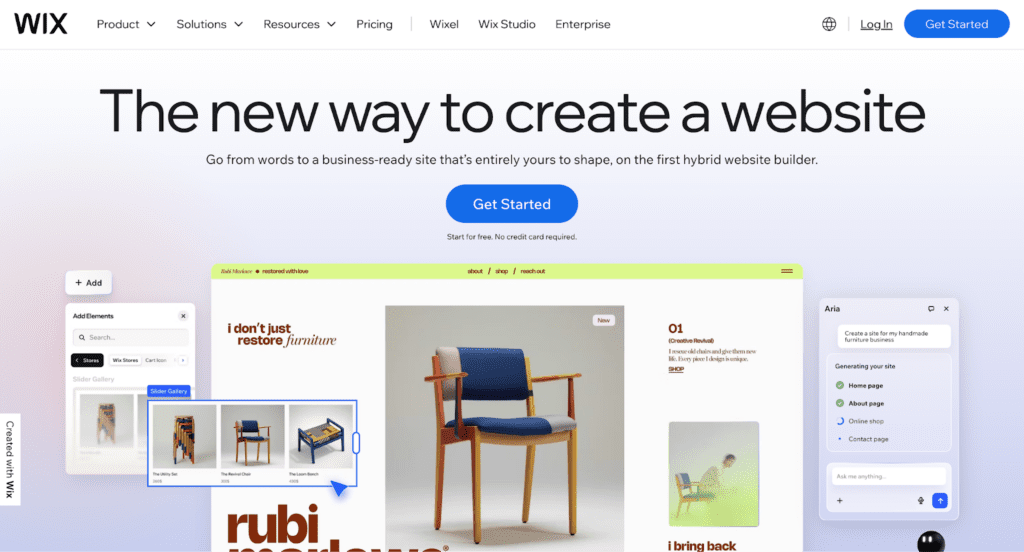
Wix is a website builder with a drag-and-drop editor and hundreds of templates. Healthcare businesses can use it to get a website online pretty quickly. However, the designs often look basic, and you’ll need third-party integrations for HIPAA compliance.
Pros & Cons
Pros:
- Drag-and-drop editor with a large template library
- Easy to use
- App marketplace lets you add extra features
Cons:
- Templates often look generic and overused
- Once you choose a template, you’re locked into its structure
- SEO performance is weaker than WordPress or Showit
- Contact forms aren’t HIPAA-compliant without third-party tools
Cost
Wix offers a free plan (with Wix ads and branding on your site) and paid plans starting around $17/month when billed annually. Premium plans go up to $159/month. The first year includes a free domain.
Overview
Wix can help you build a medical practice website pretty quickly, but the design can look “boxed in” and outdated. Once you commit to a template, you can’t switch to a different one without rebuilding your entire website from scratch, which can be frustrating.
The platform’s built-in SEO tools also don’t perform as well as WordPress or Showit.
Making Your Medical Website HIPAA-Compliant
HIPAA compliance protects your patients’ privacy and keeps your practice legally protected.
Most general website builders like Showit, Squarespace, and Wix are not inherently HIPAA-compliant, but you can make them compliant with the right setup. Healthcare-specific platforms like PatientGain include HIPAA compliance as a built-in feature.
For your website, the most important consideration is how your patients contact you and schedule appointments. Any form that collects patient information must be HIPAA-compliant, and that includes your contact form.
Here are some compliant options:
- Direct EHR Integration: Link directly to your EHR’s patient portal or scheduler (like MyChart, Athenahealth, or Practice Better).
- Google Workspace Forms: If you have Google Workspace (not free Gmail), you can create HIPAA-compliant contact forms through Google Forms.
- Microsoft 365 Forms: Similar to Google Workspace, Microsoft 365 offers HIPAA-compliant forms with a Business Associate Agreement.
- HIPAAtizer: This third-party service creates compliant contact forms that you can embed on any website.
- EHR-Provided Forms: Check if your practice management system or EHR offers embeddable contact forms. For example, Simple Practice now offers this in 2026.
I don’t recommend using standard website builder forms for collecting any patient information, even basic contact requests.
Medical practices need to be really, really careful about protecting health data and should anticipate that bad actors (scammers, bots, malicious viruses, etc.) are out there targeting them. Medical data is very valuable.
Small medical practices should be even more vigilant when it comes to their website.
Beyond forms, make sure your website has an SSL certificate, avoid using analytics tools that track detailed user behavior without proper safeguards, and be cautious about adding third-party chatbots or marketing pixels that might collect protected health information.
Disclaimer: HIPAA compliance extends far beyond your website design or setup. Do not rely solely on your website designer or developer to make your practice HIPAA-compliant. HIPAA compliance typically also involves an IT professional or team, legal advice from an attorney, and other compliance measures like limiting PHI access where appropriate, along with any other legal restrictions that HIPAA requires. HIPAA-compliant website design is not the same as a HIPAA-compliant practice; this is only one component.
SEO Optimization
Search Engine Optimization (SEO) is how you help patients find your practice when they search online. For example, if you own a dermatology private practice, you want your website to come up in search results when someone searches for “dermatologist in [city].”
Your website builder plays a big role in SEO performance.
Platforms like WordPress and Showit have strong SEO capabilities that help you rank well in search results. Builders like SimplePractice, PatientGain, and Wix have weaker SEO tools.
That said, ranking is possible on any platform.
Some just make it easier than others to do things like optimizing for mobile devices, adding on-page SEO, and using the blogging features.
Local SEO
For medical practices, local SEO is very important. You likely offer your services in a specific geographic area, which means that you need to optimize your website for location-based searches.
To do that:
- Claim and optimize your Google Business Profile
- Include your city and location throughout your website content
- Consider creating location-specific pages if you have multiple offices
For best results, work with a website designer and an SEO copywriter to create your medical practice website. SEO optimization is quite technical, especially beyond the very basics.
Content Marketing and Blogging
Publishing helpful content on your website serves two purposes: it helps with SEO, and it builds trust with potential patients. Not every practice needs a blog, but it’s something I recommend to many of my clients.
A blog allows you to answer common questions, explain procedures, address patient concerns, and demonstrate your expertise. Each blog post is an opportunity for someone to find your practice through search engines. In fact, health-related searches make up 5% of all Google searches, so there’s definitely a lot of demand for information out there.
Your website builder determines your blogging platform and capabilities.
If content marketing is part of your growth strategy, choose a platform with strong blogging tools like Showit or WordPress.
Medical Practice Website Design Examples
Concierge Health Partners

Concierge Health Partners is a family medicine practice in The Woodlands, Texas, offering concierge primary care and functional medicine services.
The practice needed a website that balanced professionalism with warmth and elegance to reflect their personalized approach to patient care. I designed their Showit website with a clean navigation that makes it easy for prospective patients to understand membership benefits and contact the practice.
The site is SEO-optimized to help local patients find them in search results and includes a HIPAA-compliant contact form built through their Google Workspace account. In just a few months after the launch, this website ranked as #1 for “concierge medicine in The Woodlands.”
Rise Neuro Rehab

Rise Neuro Rehab is a physical therapy practice in Tacoma, Washington, specializing in neurologic rehabilitation, balance therapy, and vestibular treatment.
The owner needed a website that felt calm and optimistic and was accessible to diverse patient populations. I built their Showit website with a grounded, welcoming design that reflects the restorative nature of their work.
The site features clear service descriptions to help new patients understand specialized treatments and includes a HIPAA-compliant contact form for secure patient inquiries.
Community Connections Therapy

Community Connections Therapy is a speech and language therapy practice in Columbus, Ohio. The founders wanted their website to communicate inclusivity and community connection, and a big priority was making it simple for families to understand their services and get started.
I designed their Showit website with straightforward navigation and service descriptions that help parents quickly determine if the practice is the right fit for their child.
The website also includes a HIPAA-compliant contact form integrated with their Google Workspace account to protect patient privacy.
Get Sophisticated Medical Practice Website Design
If you’re a medical professional or private practice owner who wants a website that reflects the quality of care you provide, attracts the right patients, and supports your growth, I’d love to help you!
I design custom brands and Showit websites for medical practices, with a focus on SEO optimization, HIPAA-compliant contact forms, and design that communicates your approach to care and commitment to improving patient satisfaction.
Whether you’re launching a new practice or updating an existing website, learn more about my design services or get in touch to start a conversation about your project!


